

Starter kits
A personal assistant with OpenClaw
Install the Pooled plugin in OpenClaw, start a room with the Qwen3.6 35B MoE, add a second device, and give the assistant its first task. No API key and no cloud model.
Goal: an OpenClaw assistant that thinks with the Qwen3.6 35B MoE, running on your own computers.
OpenClaw is a self-hosted assistant. The Pooled plugin makes Pooled its model: the OpenClaw gateway starts a Pooled room and holds part of the model on its own GPU. Your other computers, browser tabs and phones join the room and hold the rest.
Four minutes, from scratch: a gaming PC with an RTX 5070 can’t run the 35B MoE alone, so it hosts a Pooled room; OpenClaw on a Mac Studio joins with the plugin from ClawHub, and together they triage an inbox. Slow parts (downloads, loading) are sped up and labeled.
You need
Section titled “You need”- A computer with a GPU for the gateway: Linux with Vulkan (glibc 2.38 or newer, like Ubuntu 24.04), or macOS 26 or newer. Windows is untested.
- Node 22 or newer and OpenClaw 2026.9.6 or newer.
- About 23 GB of GPU memory across the room for the 35B MoE, the model for OpenClaw. One big machine can hold it alone. This guide pools two devices.
- A 19.4 GB download for the MoE, once per machine, and 30 minutes the first time.
-
Install the plugin from ClawHub:
openclaw plugins install clawhub:@pooled/openclawOpenClaw shows ClawHub’s security audit, then the plugin’s capabilities, and asks before each. Answer
yto both. The ClawHub listing is new. The same package is on npm:openclaw plugins install @pooled/openclaw.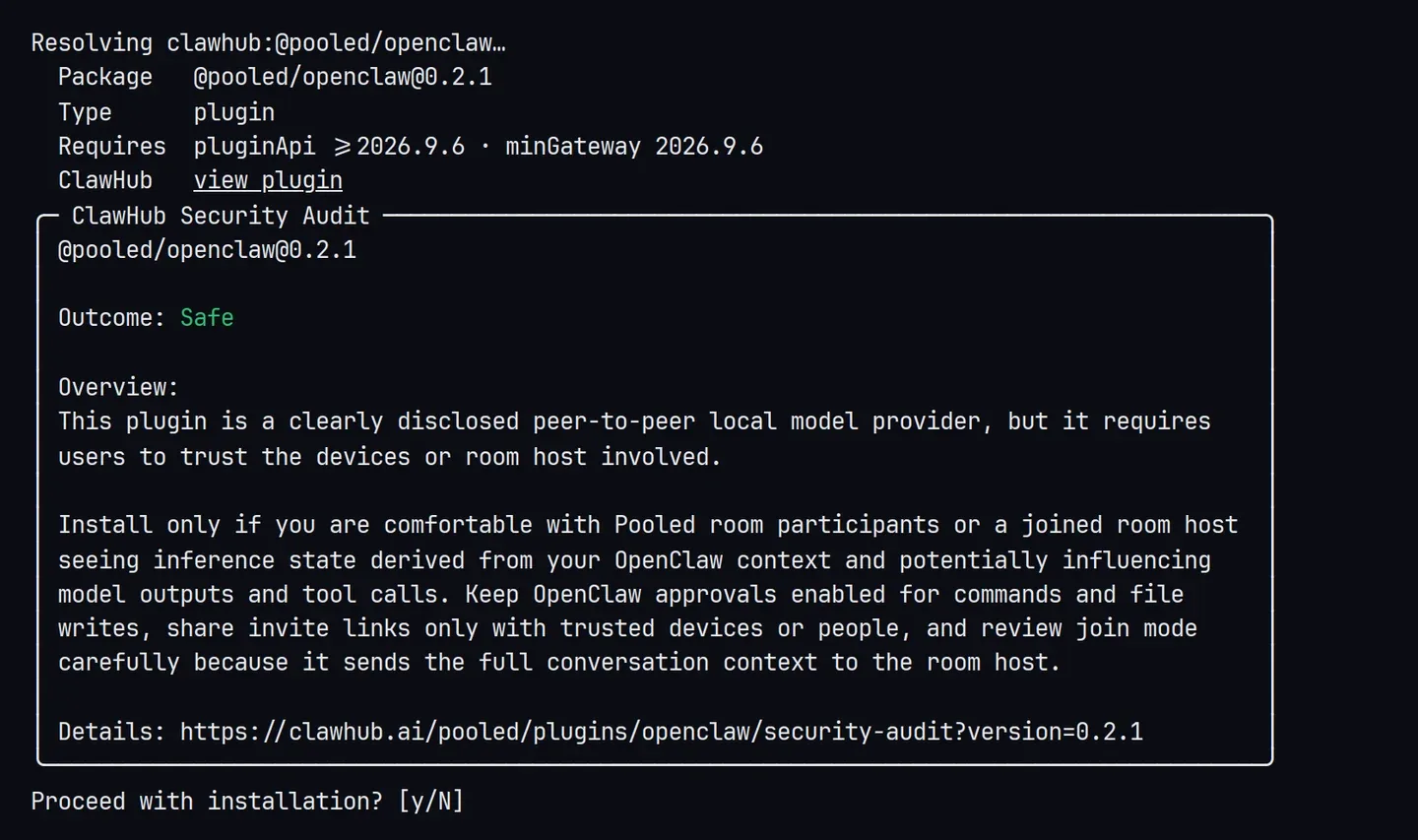
-
Pick Pooled. Run
openclaw onboard. Under Model/auth provider, choose More… and typepooled.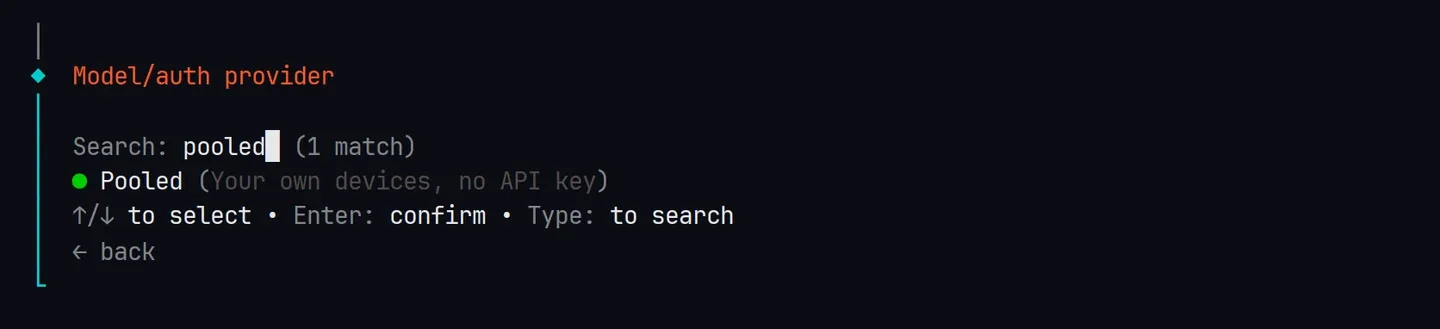
-
Start a room on this device. Onboarding shows the GPU it found, then asks how this device takes part.
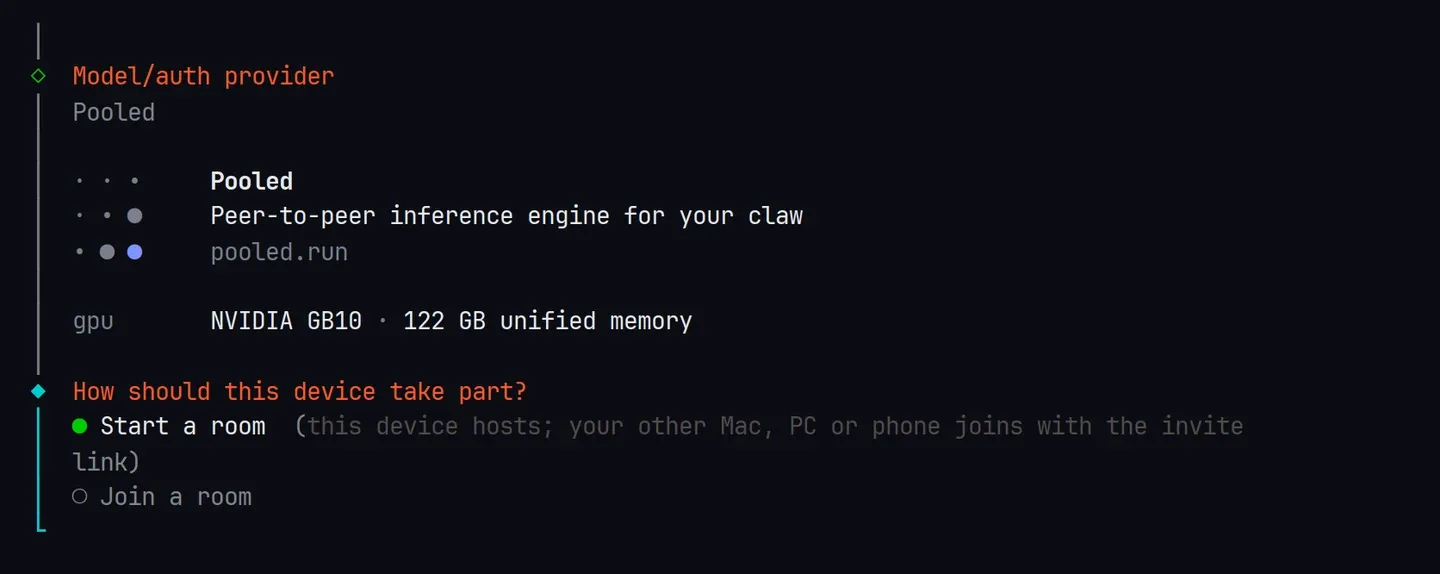
-
Lend memory and pick the MoE. Say how much of this GPU’s memory to lend. Which model? lists what each model needs and whether it is downloaded, and marks Qwen3.6 35B MoE as recommended. If it isn’t downloaded, onboarding offers to download it now, when the gateway starts, or not at all.
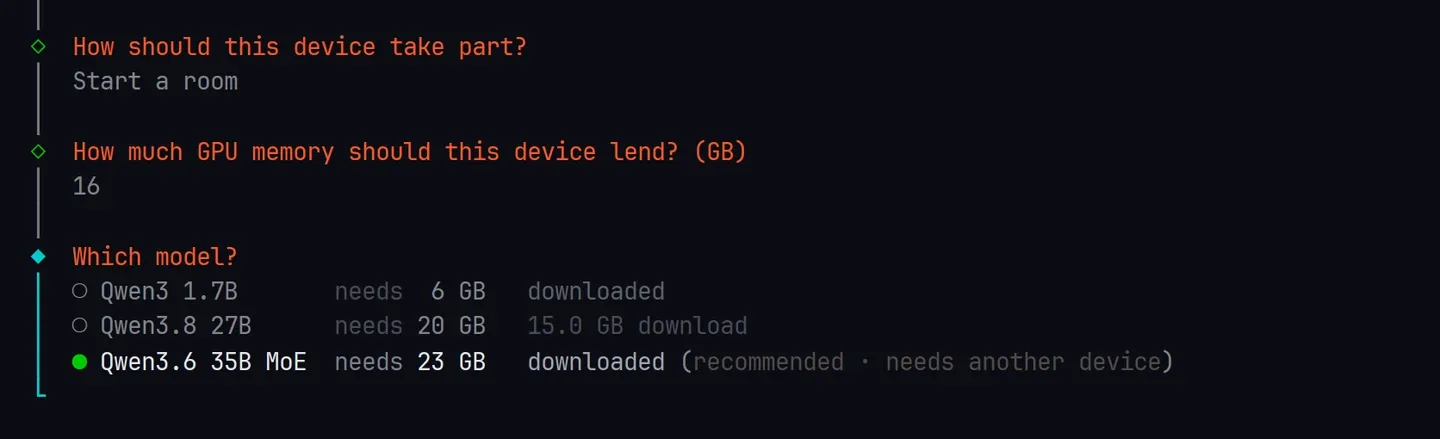
Then keep 2 devices (this one and one more) and Invite link only. Onboarding prints the room code, the invite link and how another device joins. They stay the same when the gateway restarts. Answer the rest of onboarding as you like.
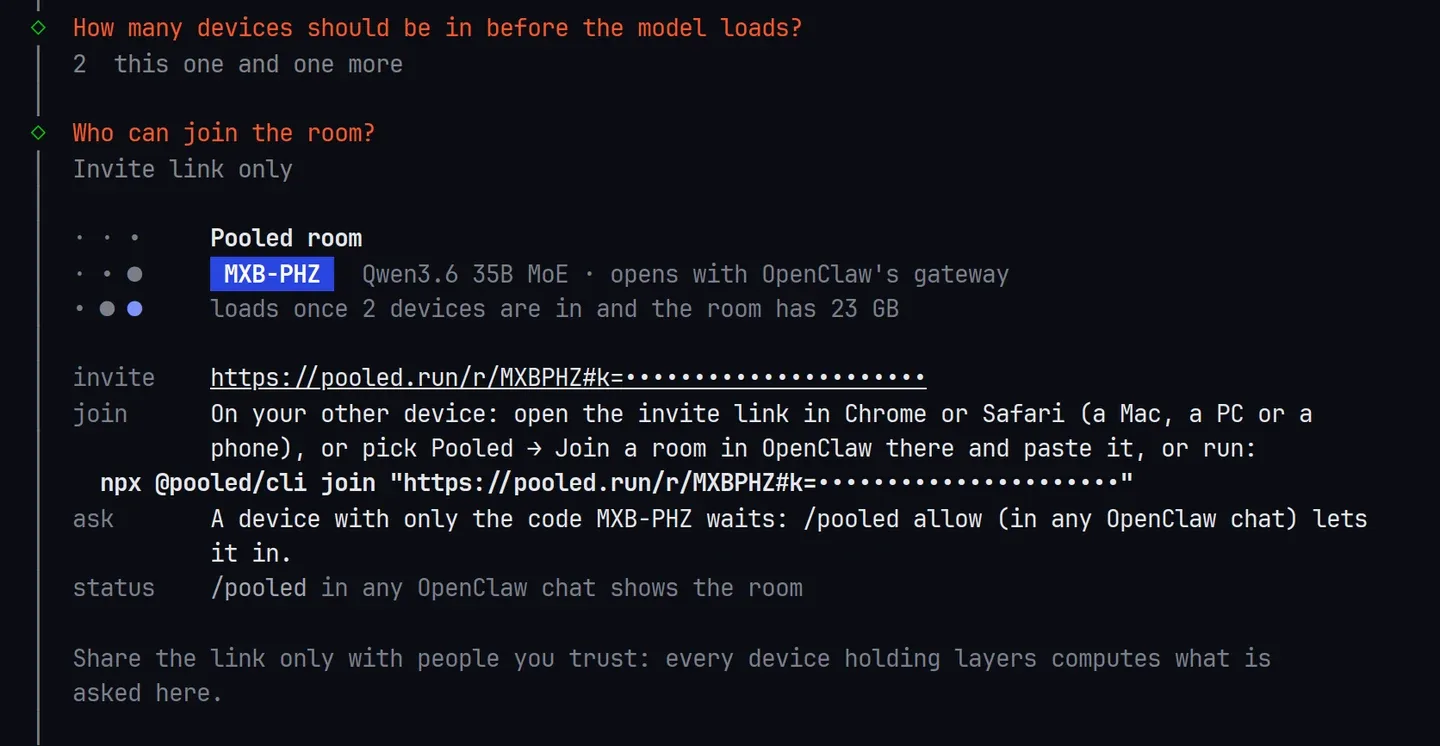
The invite key is hidden in these captures. -
Start the gateway, if onboarding didn’t:
openclaw gateway run. The room opens with it, in about 10 seconds. -
Add a second device. On another computer (or a second terminal), run
pooled joinwith the invite link, or open the link in Chrome or Safari. See Rooms from the terminal. With the invite link it gets in at once. With the code alone, it waits for you: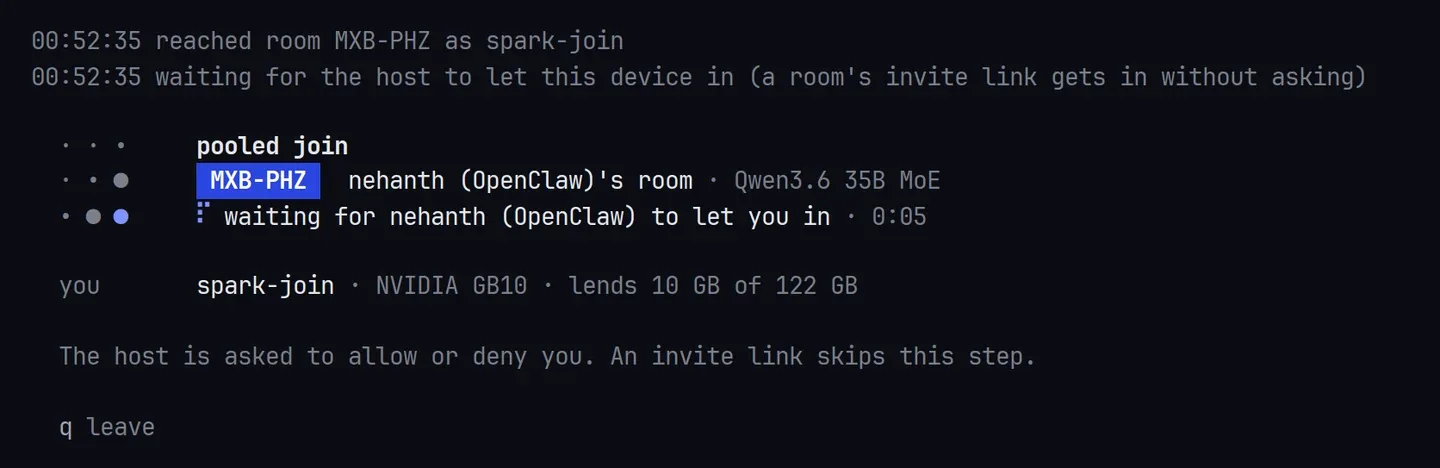
Open a chat with
openclaw tuiand type/pooled. It shows the room’s devices, how much memory it has against what the model needs, and who waits./pooled allowlets them in: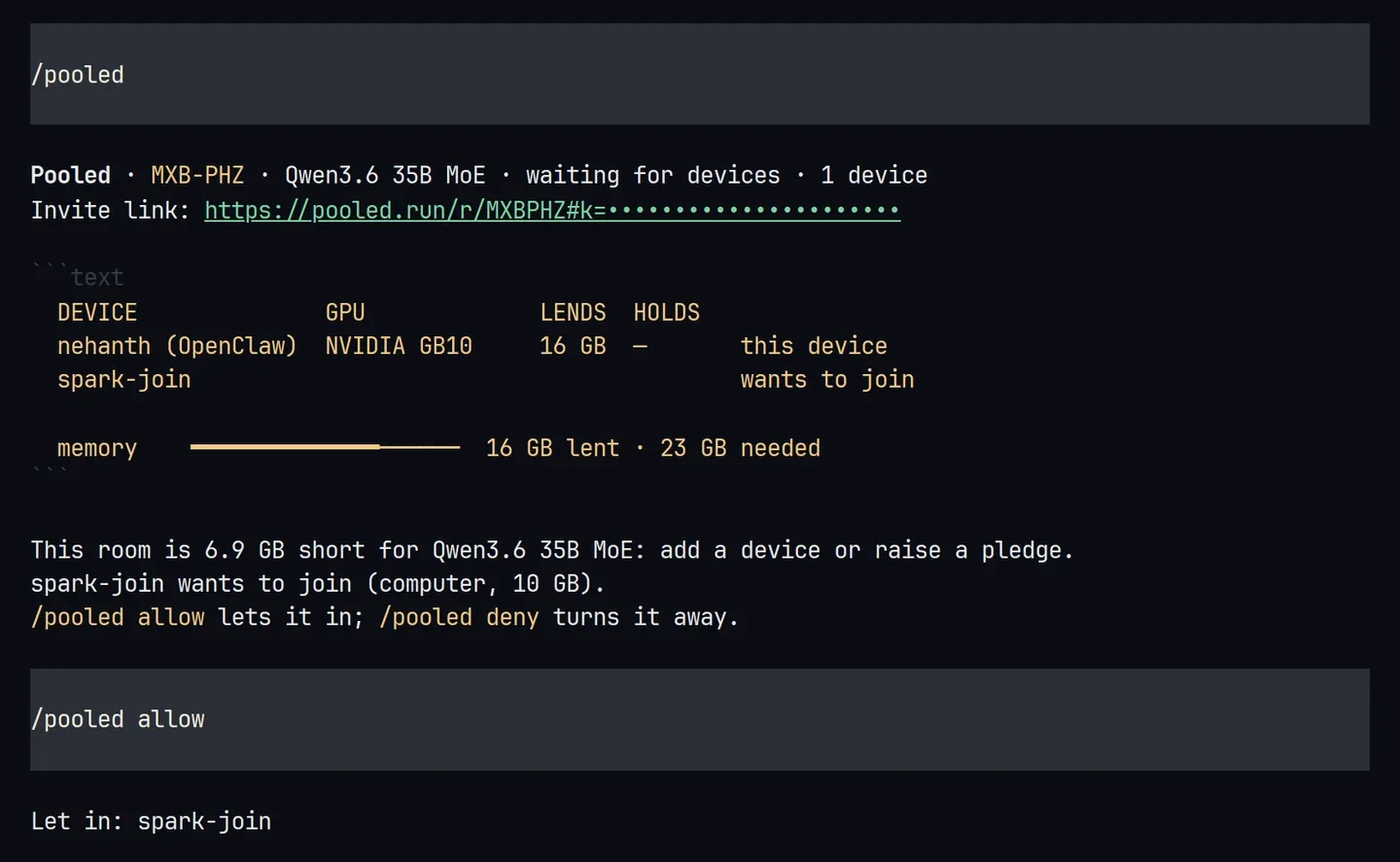
The model loads once the room holds it (66 seconds in our test).
/pooledthen says online and which layers each device holds: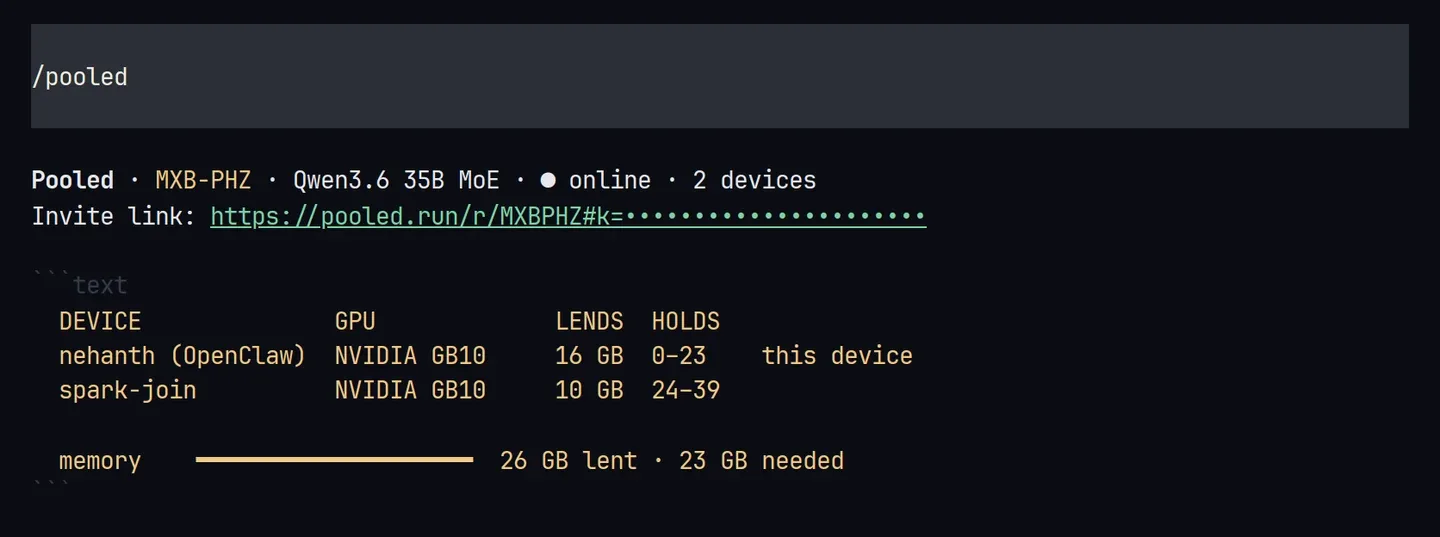
-
Give it a first task. Put a
notes.txtin OpenClaw’s workspace and ask:Read notes.txt in my workspace and turn it into a to-do list, most urgent first.It reads the file with its
readtool and answers.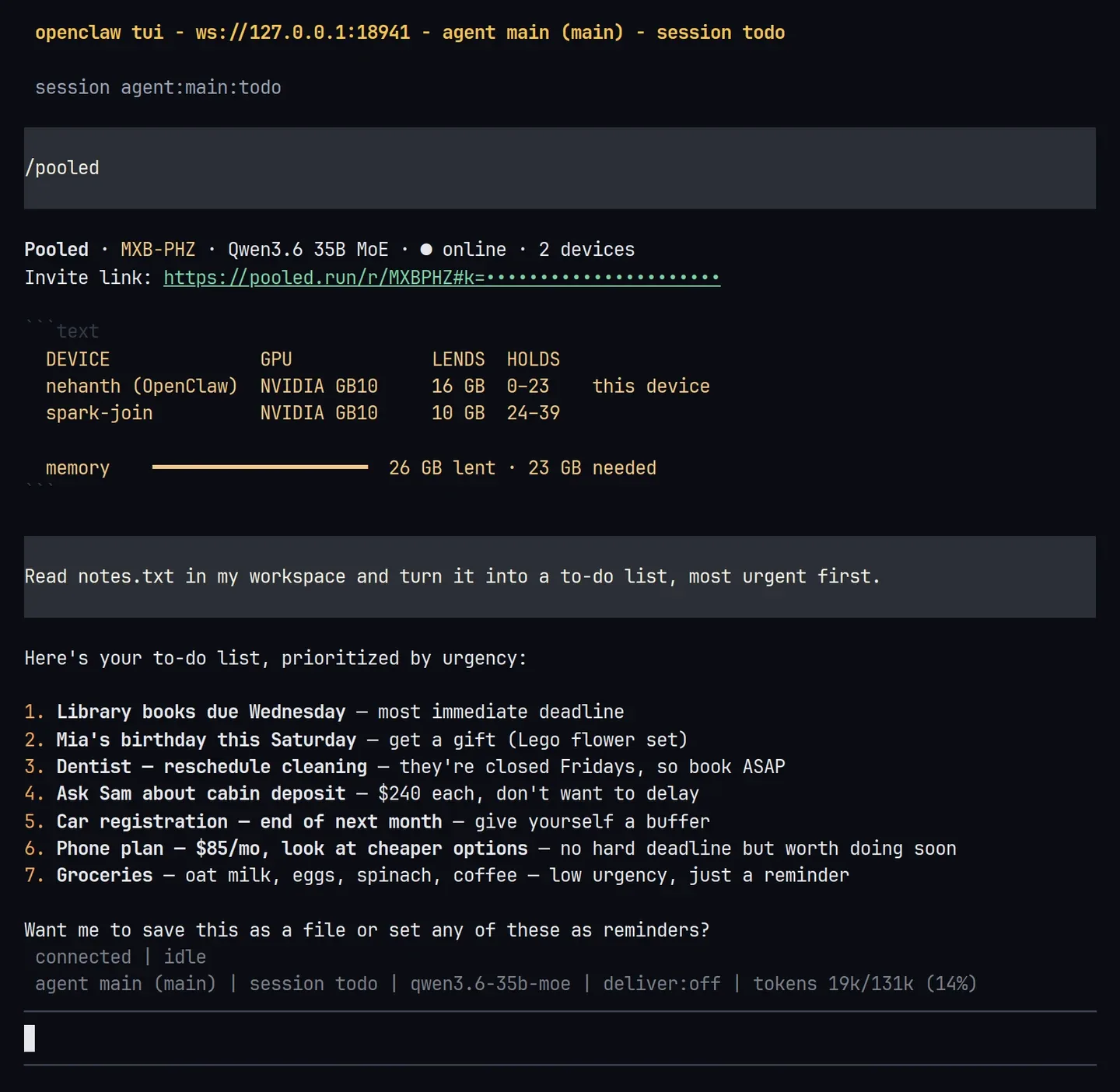
openclaw dashboardopens the same chat in the Control UI, with the tool call and the model, Qwen3.6 35B MoE · Pooled room: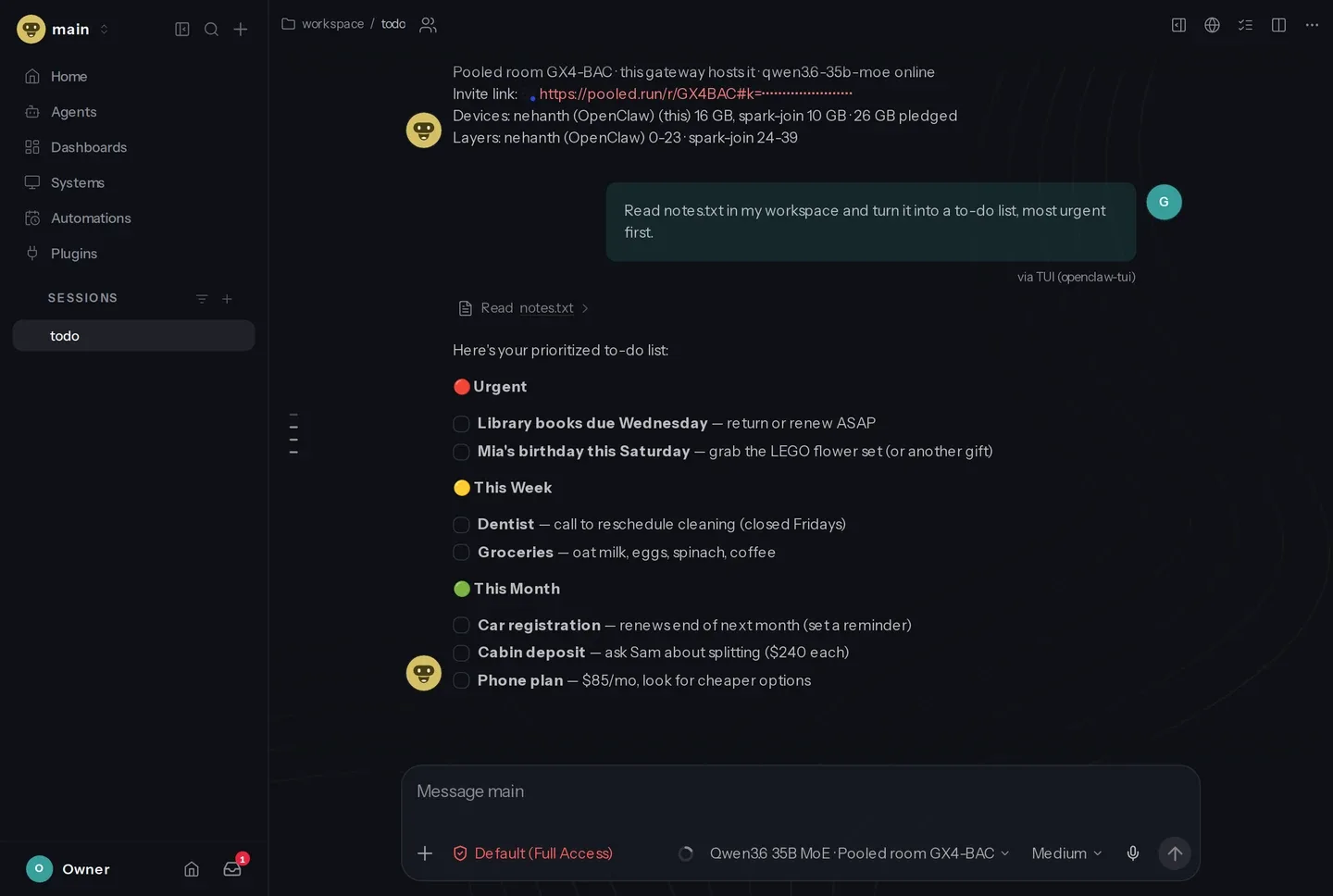
What you should see
Section titled “What you should see”- The first answer is slow: about 5 minutes in our test. OpenClaw sends a prompt of about 18,000 tokens (its instructions and tools), and the room reads it once. That took 265 seconds here.
- Later answers are fast. The room keeps that prompt, so the next question took 42 seconds, and the same task in a new session took 64 seconds. After a gateway restart, the plugin reads the prompt again as soon as the room is online, before you ask.
- Our test ran both devices on one GB10, which a benchmark shared at the time. On two computers the times differ with their GPUs.
Every device that holds layers sees the conversation, including the files OpenClaw reads, and could steer its tool calls: share the invite link only with people you trust. See Who can see and steer what.
If something goes wrong
Section titled “If something goes wrong”The chat says the room “is waiting for devices” or is short of memory
Section titled “The chat says the room “is waiting for devices” or is short of memory”The room doesn’t have the devices it waits for, or their pledges don’t hold the model yet. /pooled says how many GB it is short. Add a device (step 6), lend more with /pooled pledge <GB>, or pick a smaller model with openclaw onboard. A question waits up to 120 seconds for the room before it gives up.
A device waits to join
Section titled “A device waits to join”It came with the code, not the invite link. /pooled shows who waits, /pooled allow lets the first one in and /pooled deny turns it away. /pooled link prints the invite link to send instead.
Gateway not detected
Section titled “Gateway not detected”Onboarding couldn’t start the gateway as a service. Run openclaw gateway run and keep it open.
No WebGPU adapter or the gateway can’t use the GPU
Section titled “No WebGPU adapter or the gateway can’t use the GPU”The plugin needs Vulkan on Linux or Metal on macOS 26 or newer. If the optional WebGPU package didn’t install, the gateway says how to add it.
More: OpenClaw and Troubleshooting.
Try next: triage your inbox
Section titled “Try next: triage your inbox”The task from the video. Unzip sample-inbox.zip into your OpenClaw workspace (it makes an inbox/ folder with 15 made-up emails), then ask:
Triage my inbox: the 15 emails are in inbox/, read them all in one go. Sort them into reply today, later and ignore, one line each. Then draft short replies for the reply-today ones.OpenClaw lists the folder, reads all 15 in one step and answers. In our run, the leaking ceiling, the moved deadline and the airport pickup went to reply today, and the “you won a yacht” email went to ignore. On a Mac Studio plus an RTX 5070 PC the answer streamed at 29 tokens a second.
- OpenClaw: the config keys, results and limits.
- Rooms from the terminal, to add a computer with
pooled join. - Pool two devices, with a browser tab or a phone.